聚焦( Boot 4、 AI、 V4)三大核心组件的快速整合,适配最新稳定版本,无需复杂配置,复制粘贴即可运行,适用于个人开发、中小项目快速接入AI能力。
一、核心简介
1. Boot 4
2. AI
3. V4
二、环境要求(必须...

spring aop maven Spring Boot 4 + Spring AI + DeepSeek V4:Maven项目一键接入AI
聚焦( Boot 4、 AI、 V4)三大核心组件的快速整合,适配最新稳定版本,无需复杂配置,复制粘贴即可运行,适用于个人开发、中小项目快速接入AI能力。
一、核心简介
1. Boot 4
2. AI
3. V4
二、环境要求(必须一致)
三、第一步:获取 API Key
打开:登录 → 左侧API Keys点击 API Key → 复制保存(sk-xxxx)新用户有免费额度,可直接测试V4

四、第二步:创建项目&Maven依赖
pom.xml 完整配置
    4.0.0


        org.springframework.boot
        spring-boot-starter-parent
        4.0.0


    com.example
    deepseek-ai-demo
    0.0.1-SNAPSHOT

        17
        1.1.5


                org.springframework.ai
                spring-ai-bom
                ${spring-ai.version}
                pom
                import


            org.springframework.boot
            spring-boot-starter-web


            org.springframework.ai
            spring-ai-starter-model-deepseek


            org.projectlombok
            lombok
            true


                org.springframework.boot
                spring-boot-maven-plugin
五、第三步:配置文件
server:
  port: 8080
spring:
  ai:
    deepseek:
      api-key: sk-你自己的APIKey
      base-url: https://api.deepseek.com
      chat:
        options:
          # 二选一:
          model: deepseek-v4-flash   # 快速版(推荐)
          # model: deepseek-v4-pro   # 专业版
          temperature: 0.7    # 创意度 0~1
          max-tokens: 4096   # 最大输出长度
六、第四步:核心代码
1. 启动类
import org.springframework.boot.SpringApplication;
import org.springframework.boot.autoconfigure.SpringBootApplication;
@SpringBootApplication
public class DeepSeekAiApplication {
    public static void main(String[] args) {
        SpringApplication.run(DeepSeekAiApplication.class, args);
    }
}
2. AI对话接口
import org.springframework.ai.chat.client.ChatClient;
import org.springframework.ai.chat.model.ChatModel;
import org.springframework.web.bind.annotation.*;
import reactor.core.publisher.Flux;
@RestController
@RequestMapping("/ai")
public class DeepSeekController {
    private final ChatClient chatClient;
    // 自动注入 DeepSeek 模型
    public DeepSeekController(ChatModel chatModel) {
        this.chatClient = ChatClient.create(chatModel);
    }
    /**
     * 同步对话(一次性返回结果)
     */
    @PostMapping("/chat")
    public String chat(@RequestBody String message) {
        return chatClient.prompt(message).call().content();
    }
    /**
     * 流式对话(SSE 打字机效果,适合长文本)
     */
    @PostMapping(value = "/stream", produces = "text/event-stream")
    public Flux streamChat(@RequestBody String message) {
        return chatClient.prompt(message).stream().content();
    }
}
七、第五步:启动&测试
1. 启动项目
DeepSeekAiApplication 启动成功
2. 接口测试
(1)同步接口
curl -X POST http://localhost:8080/ai/chat \
-H "Content-Type: application/json" \
-d "你好,介绍一下 DeepSeek V4"
(2)流式接口(推荐)
curl -X POST http://localhost:8080/ai/stream \
-H "Content-Type: application/json" \
-d "写一篇300字的Spring AI介绍"
八、 V4 模型说明(关键)
个人开发首选:flash
九、常见问题(100% 避坑)
401 未授权:API Key错误/未充值/过期model not found:模型名写错:必须是-v4-flash或-v4-pro启动报错:找不到:检查yml配置:api-key和base-url不能为空依赖下载失败:网络问题,使用国内镜像源
十、扩展能力( AI强大之处)
你可以在此基础上轻松实现:
总结
这是 Boot 4、 AI与 V4的最新稳定整合方案,流程极简、无冗余配置,核心步骤清晰,避开常见坑点,适合快速上手接入AI能力,无论是个人学习还是项目开发,均可直接套用。
AI import public V4 启动 配置
热门文章
-
杭州文海实验多名学生流鼻血,官方连夜成立联合工作组彻查工厂排放
-

万茜颜值进阶史:从青涩到“清冷系天花板”的蜕变之路
-

杨少华遗体告别仪式:亲友送别,赵本山送花圈,杨威杨议忙后事
-

长江商学院自创办第一天起 始终以为中国和世界培养一批具有全球视野
-

深圳南山区“美澳口腔”诊所“跑路”风波:数百患者维权,交款种牙却陷入困境
-

“超级工程”渐行渐近,重庆破局,宜昌“躺赢”?
-
国务院总理李强在天津出席2025年夏季达沃斯论坛工商界代表座谈会
-
电脑恢复出厂设置步骤详解:备份数据及各操作要点
-

首份2025年中报周二亮相,12家公司净利润预增超10倍,华银电力暂居榜首
-

十三岁的星辰:云南女孩侯静怡短暂而明亮的一生
-

广州英华思力足球俱乐部翻译徐进遭日籍教练霸凌猝死,家属讨公道
-

巨子生物“变卦”背后:胶原蛋白检测风波与医美巨头商战
最近发表
-
spring aop maven Spring AOP + Maven 项目如何配置虚拟线程,解决高并发线程耗尽
-

2025美国金融硕士排名:高就业高薪,量化金融选校必看
-

央行发行300亿央票稳汇率,PayPal联手微信支付,金融市场新动态
-
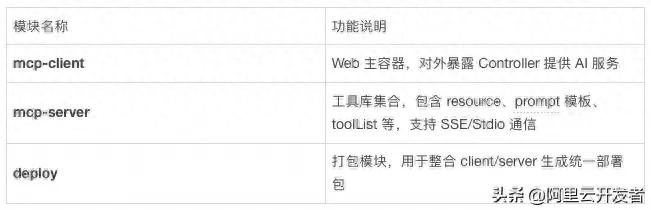
spring aop maven Spring AOP + Maven 实战:用AOP打破数据孤岛,安全接入AI大模型
-
spring aop maven Spring AOP+Maven整合LangChain4j,Java后端快速接入大模型
-

洪荒之紫金鲤鱼txt:小石头转世成杀神,他为何这么憋屈?
-
spring aop maven Spring Boot 4 + Spring AI + DeepSeek V4:Maven项目一键接入AI
-

金融强国怎么建?五篇大文章助力实体经济
-
typeof检测js数组返回object?一招判断数组类型
-

金融公关不只是防负面,更要会主动解释自己
-

美国金融硕士申请指南,含方向定位与选校梯队解析
-

spring aop maven SpringBoot 3.x 结合 LangChain4j 开发 AI Agent 实战,含 Maven 准备